โปรแกรมบูธบน MacBooth app for Mac
ถ่าย ใส่กรอบ ปริ้น บันทึก ทำได้ครบโดยไม่ต้องมีเน็ต ไฟดับกลางรอบ เปิดใหม่ทำต่อ รูปไม่หาย
Shoot, frame, print and save fully offline. Power cut mid-session? It resumes — no photo lost.
📸 โปรแกรมโฟโต้บูธบน Mac · จากทีม Easyday Photobooth
📸 Photo booth software for Mac · by Easyday Photobooth
ถ่าย ใส่กรอบ ปริ้น ได้ครบแม้เน็ตหลุด แขกสแกน QR โหลดรูปผ่านคลาวด์ของเรา และหารูปตัวเองที่iPad ข้างบูธ ทุกอย่างรวมอยู่ในราคาเดียว ไม่ต้องเช่าเซิร์ฟเวอร์ ไม่ต้องลงแอปเพิ่ม
Shoot, frame and print even when the internet drops. Guests scan a QR and download through our cloud, or find their photos on the iPad next to the booth. All in one price — no server to rent, no extra app.
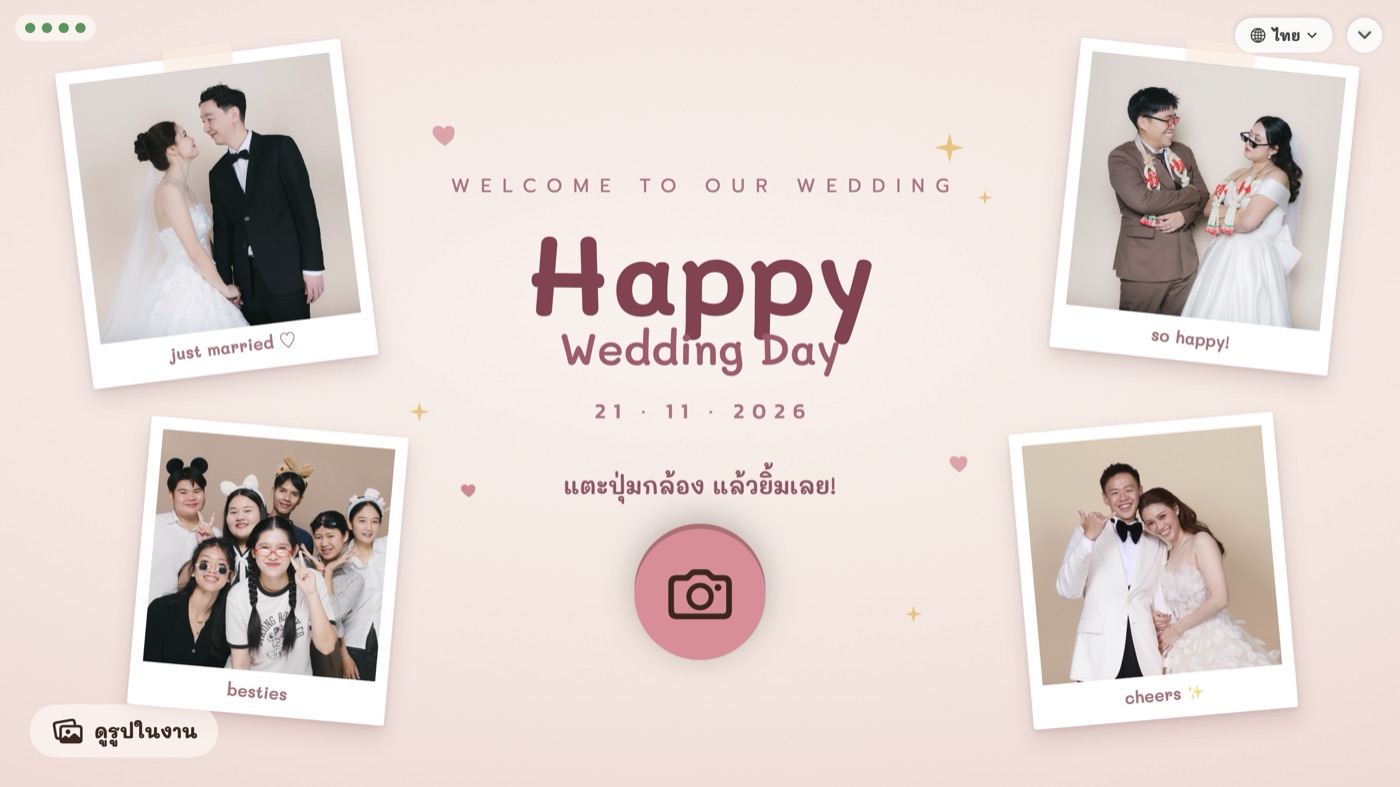
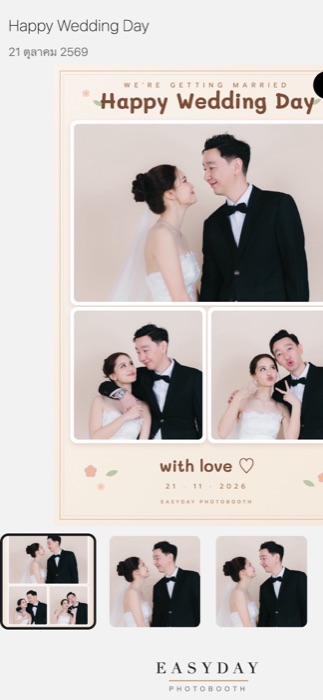
all-in-one
ไม่ต้องหาที่เก็บรูปเอง ไม่ต้องจ้างทำหน้าเว็บ ไม่ต้องลงแอปบน iPad — รวมอยู่ในทุกแพ็กเกจแล้ว
No storage to rent, no website to build, no iPad app to install — it's in every plan.
ถ่าย ใส่กรอบ ปริ้น บันทึก ทำได้ครบโดยไม่ต้องมีเน็ต ไฟดับกลางรอบ เปิดใหม่ทำต่อ รูปไม่หาย
Shoot, frame, print and save fully offline. Power cut mid-session? It resumes — no photo lost.
แขกสแกน QR ได้หน้ารูปบนมือถือ บันทึกรูปในกรอบ GIF และรูปเดี่ยวทุกช็อต แชร์ LINE / IG / FB ได้ทันที ใช้คลาวด์ของ Easyday ไม่ต้องสมัครหรือจ่ายค่าเซิร์ฟเวอร์เอง มีอัลบั้มรวมทั้งงานเป็น QR เดียว รูปบนคลาวด์ลบเองตามวันที่ตั้ง
Guests scan the QR for a mobile photo page — framed photo, GIF and every single shot — and share to LINE, IG or FB. It runs on Easyday's cloud; you don't sign up for or pay for any server. One QR for the whole-event album too. Cloud copies expire on the date you set.
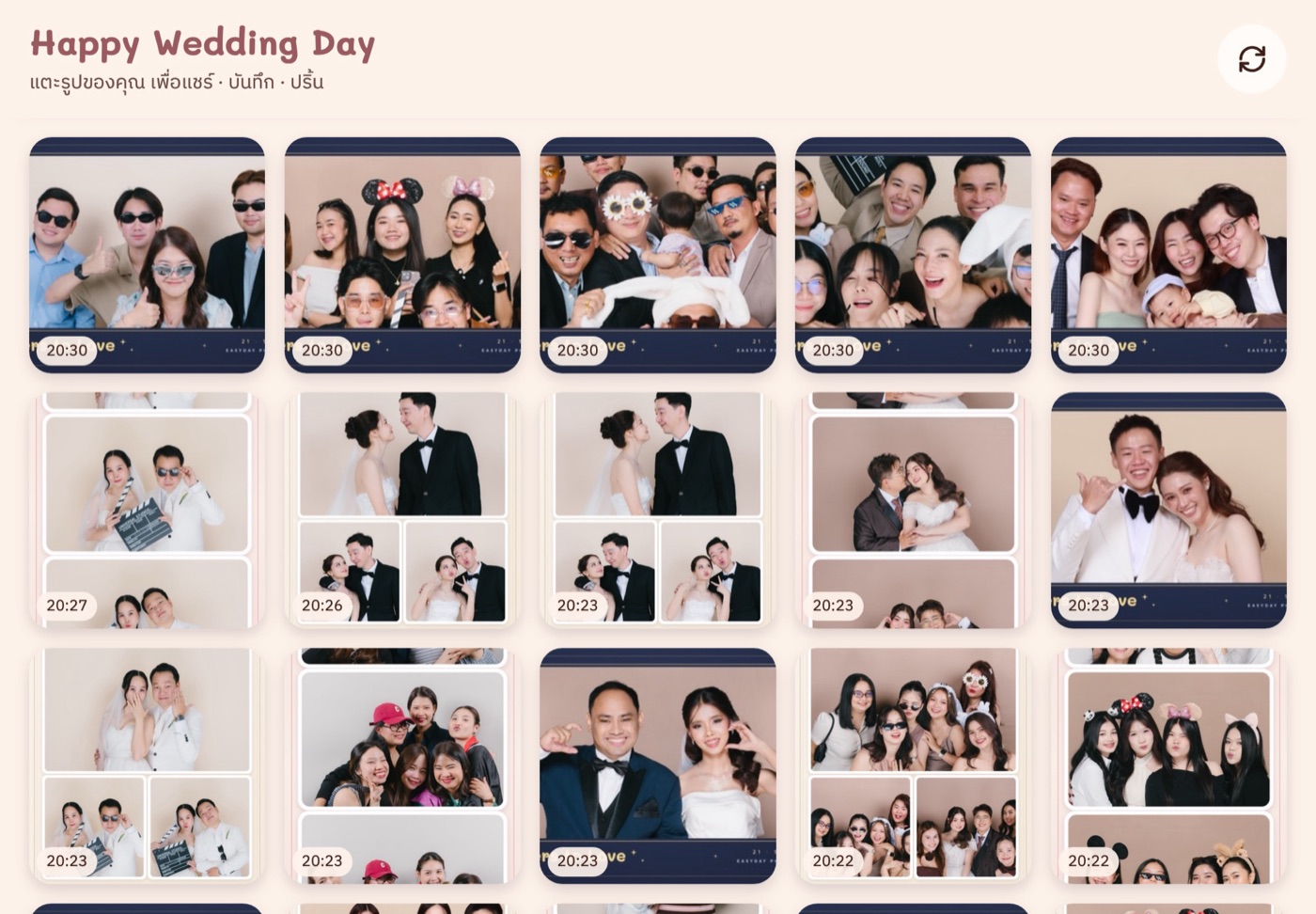
วาง iPad ข้างบูธ เปิดใน Safari ไม่ต้องลงแอป แขกเลือกรูปตัวเอง ส่ง AirDrop (ไม่ต้องมีเน็ต) อีเมล LINE WhatsApp หรือกดปริ้นเพิ่มเองได้ ทีมงานไม่ต้องยืนส่งรูปให้ทีละคน
Put an iPad next to the booth and open it in Safari — no app to install. Guests find their own photos and send them by AirDrop (works offline), email, LINE or WhatsApp, or print another copy themselves.
ลดSave 25%
ทุกแพ็กเกจ ถึง on every plan until
ราคาโปรนี้ยังรวมคลาวด์ให้แขกโหลดรูป และเว็บแอป iPad ครบเหมือนเดิม
The sale price still includes the guest-download cloud and the iPad web app.
ดูราคาโปรSee sale pricesreal screens
ภาพจากโปรแกรมจริง ใช้กรอบและรูปจากงานของร้านเรา
Captured from the real app, with frames and photos from our own events.
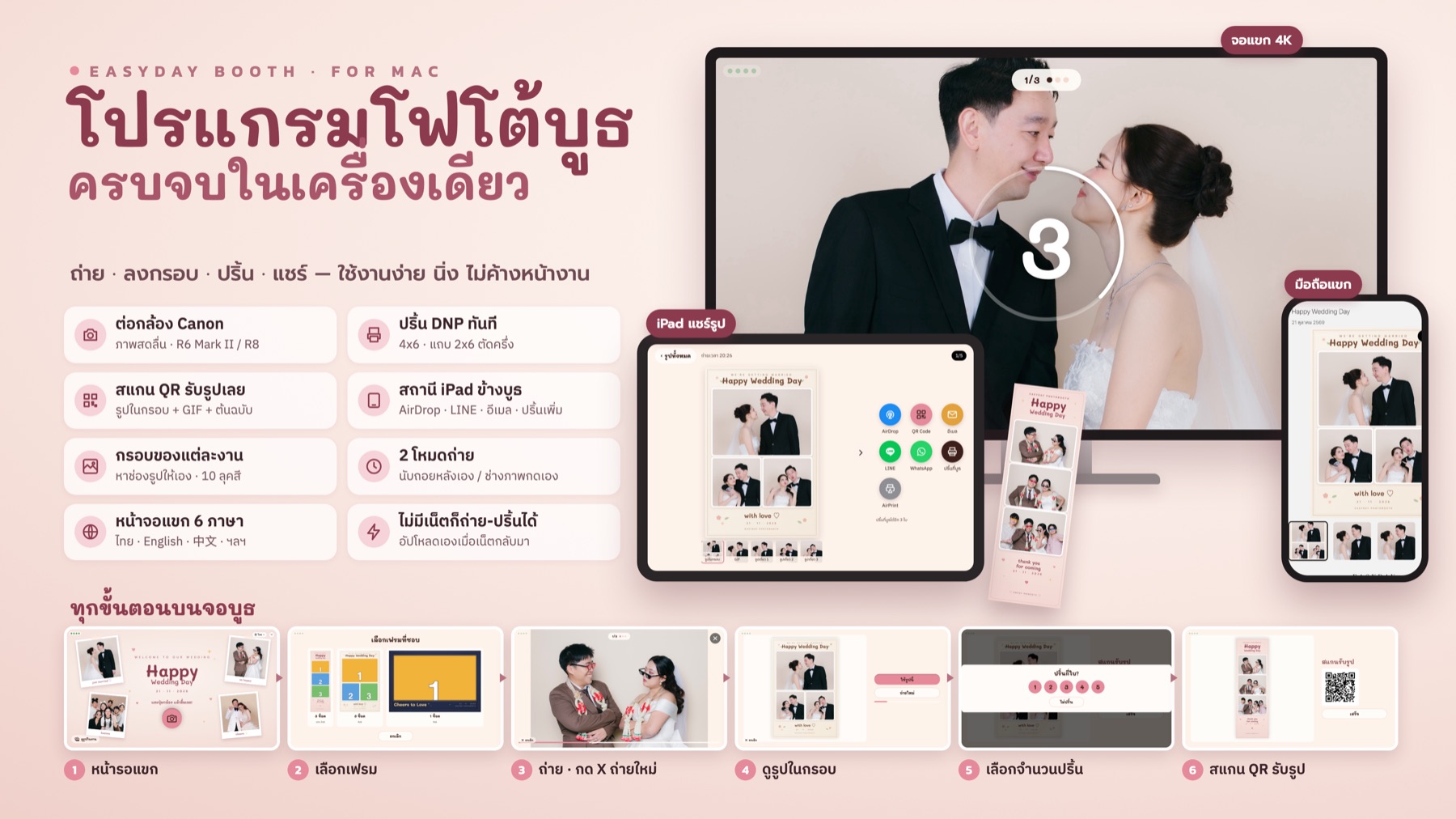
แตะรูปเพื่อดูขนาดเต็มTap the image to view full size
tested at real events
how it works
 1
1
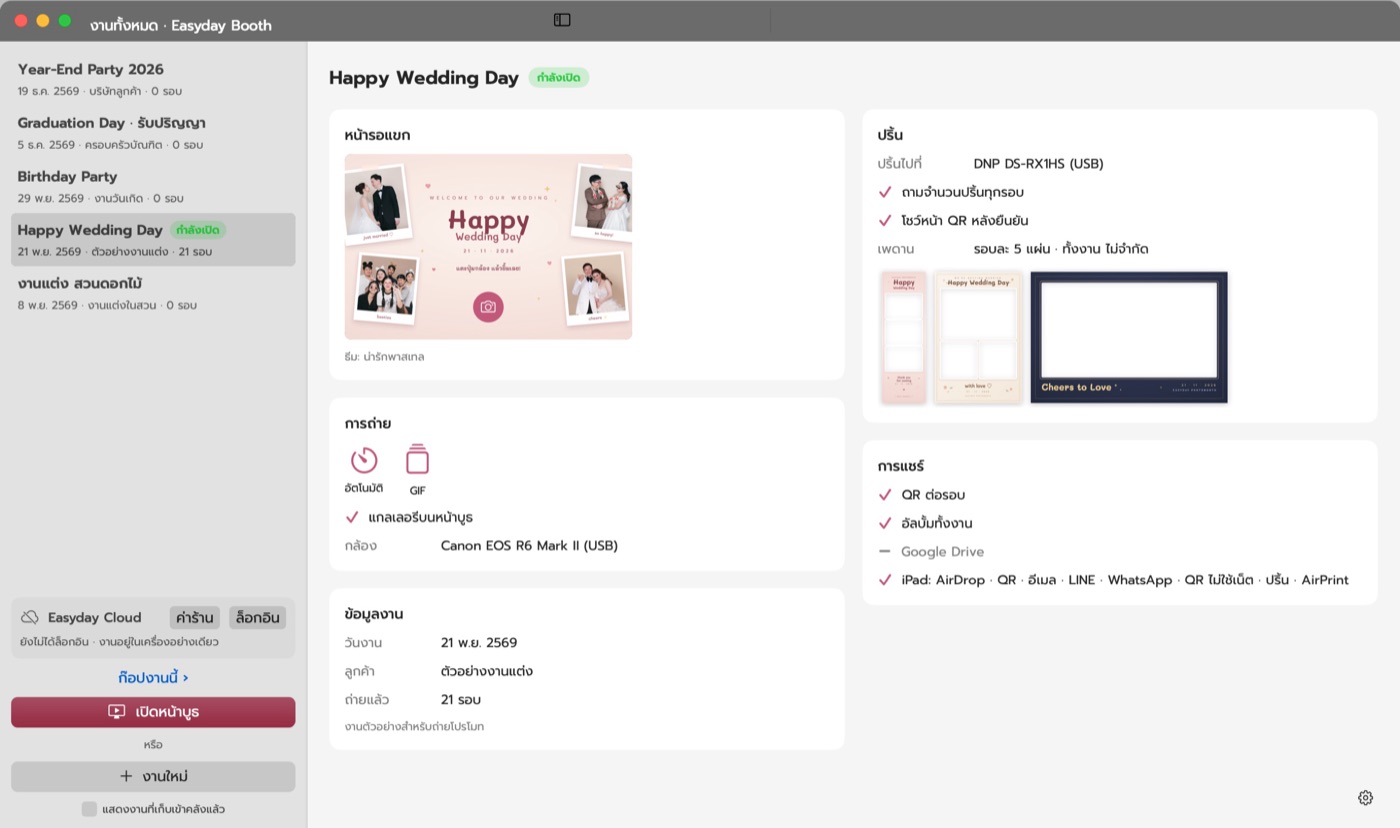
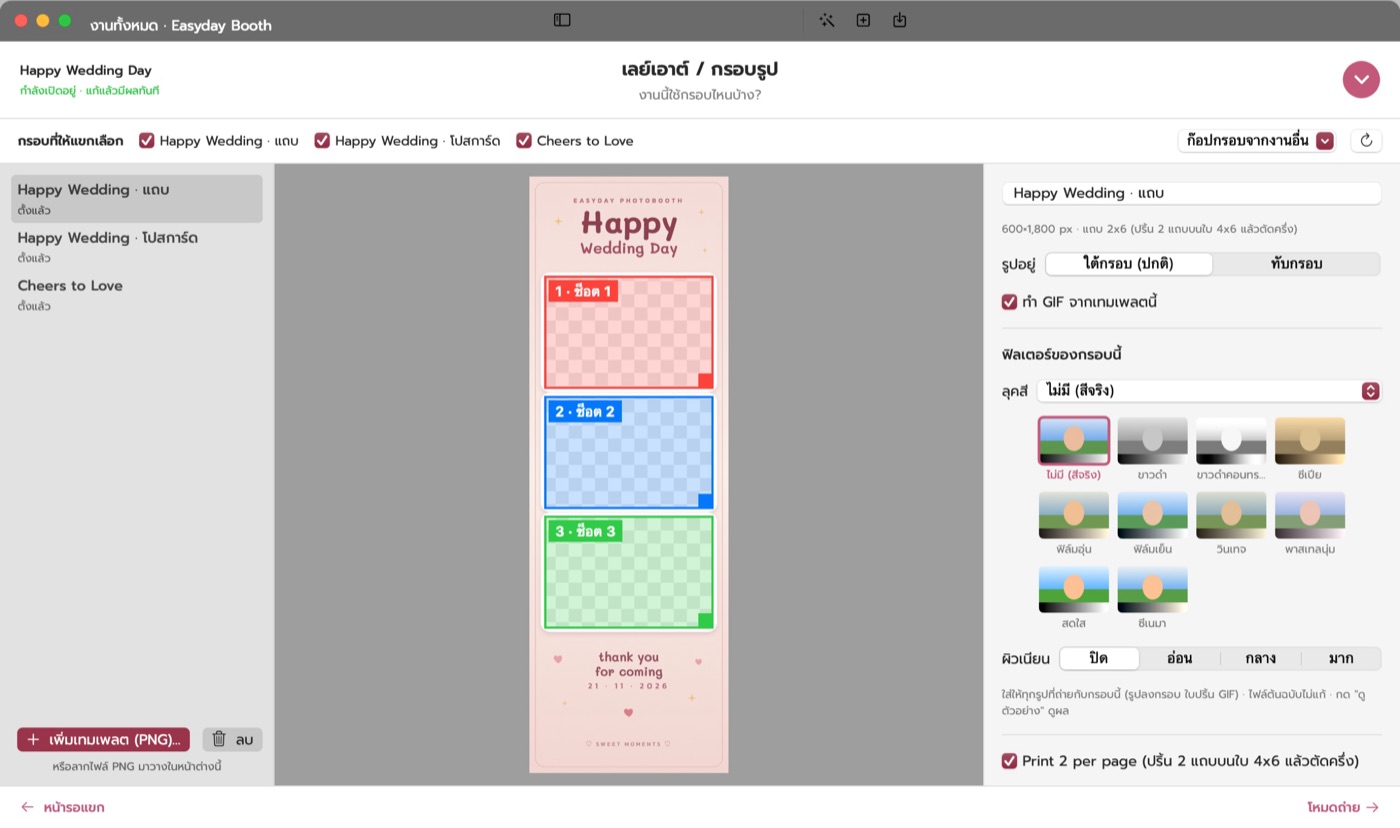
ทุกงานมีการ์ดของตัวเอง ธีม รูปหน้ารอแขก กรอบ วิธีปริ้น ก๊อปงานเก่ามาแก้ได้ วันงานกด ⚡ เริ่มงาน
Each event has its own card — theme, attract screen, frames, print options. Duplicate an old one; on the day press ⚡ Start.
 2
2
ออกแบบใน Canva หรือ Photoshop เว้นช่องโปร่งใส ลากเข้าโปรแกรม เจอช่องรูปเอง เลือกลุคสี 10 แบบ
Design in Canva or Photoshop with transparent windows, drag it in, slots are found for you. 10 colour looks.
 3
3
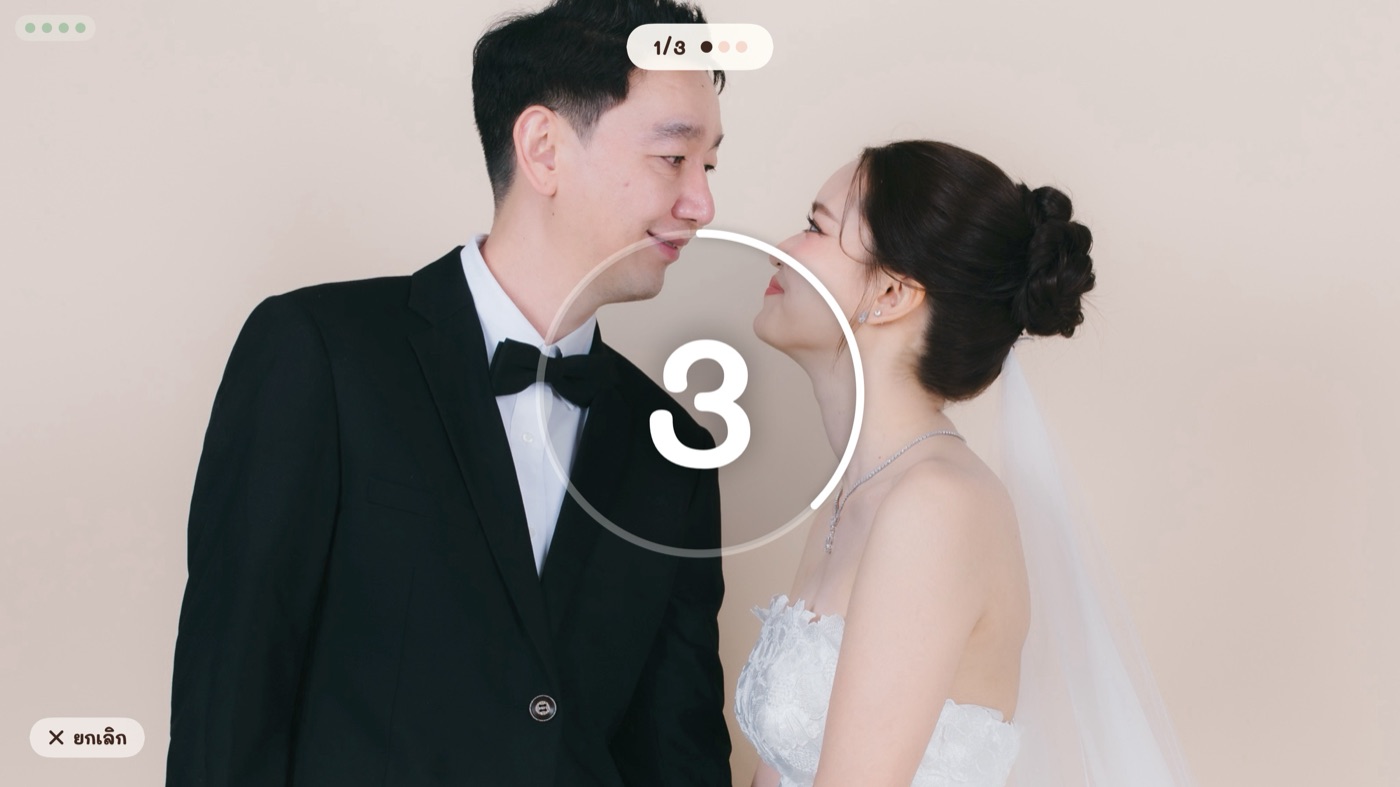
อัตโนมัติ แขกแตะแล้วนับถอยหลังเอง หรือโหมดช่างภาพ กดชัตเตอร์ที่กล้อง รูปขึ้นจอทันที ไม่ชอบกด X ถ่ายใหม่
Auto — guests tap and the booth counts down. Or photographer mode — fire the camera, the shot appears instantly. Tap X to retake.
 4
4
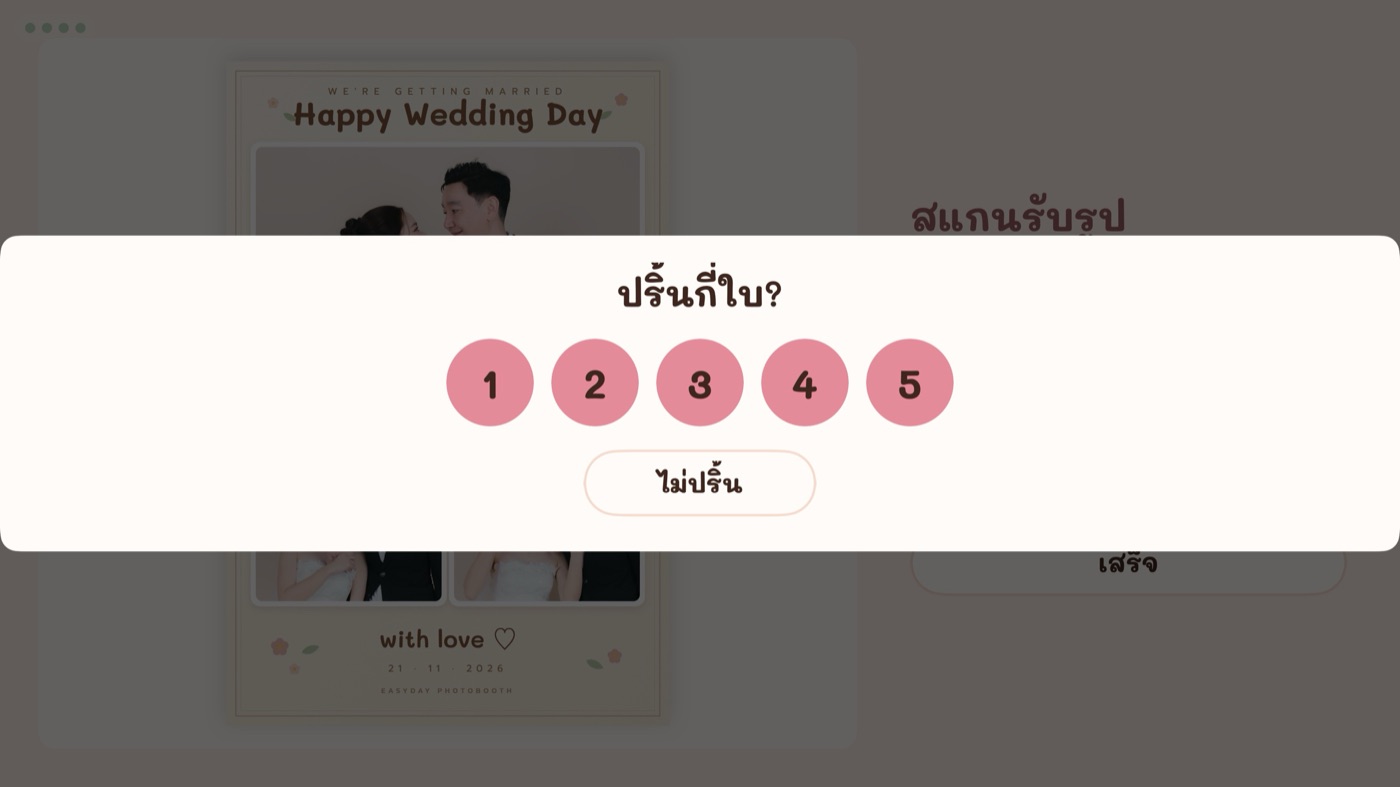
DNP DS-RX1HS 4x6 และ 2x6 ตัดครึ่ง แขกเลือกจำนวนเอง มีเพดาน กระดาษหมดกลางงาน งานปริ้นไม่หาย
DNP DS-RX1HS, 4x6 and 2x6 auto-cut. Guests choose how many, within your caps. Paper out mid-event? Nothing is lost.
 5
5
QR ขึ้นทันทีไม่ต้องรอเน็ต แขกโหลดผ่านคลาวด์ หรือหารูปตัวเองที่ iPad ส่ง AirDrop / LINE / อีเมล
The QR shows instantly. Guests download through the cloud, or find their photos on the iPad and AirDrop them.
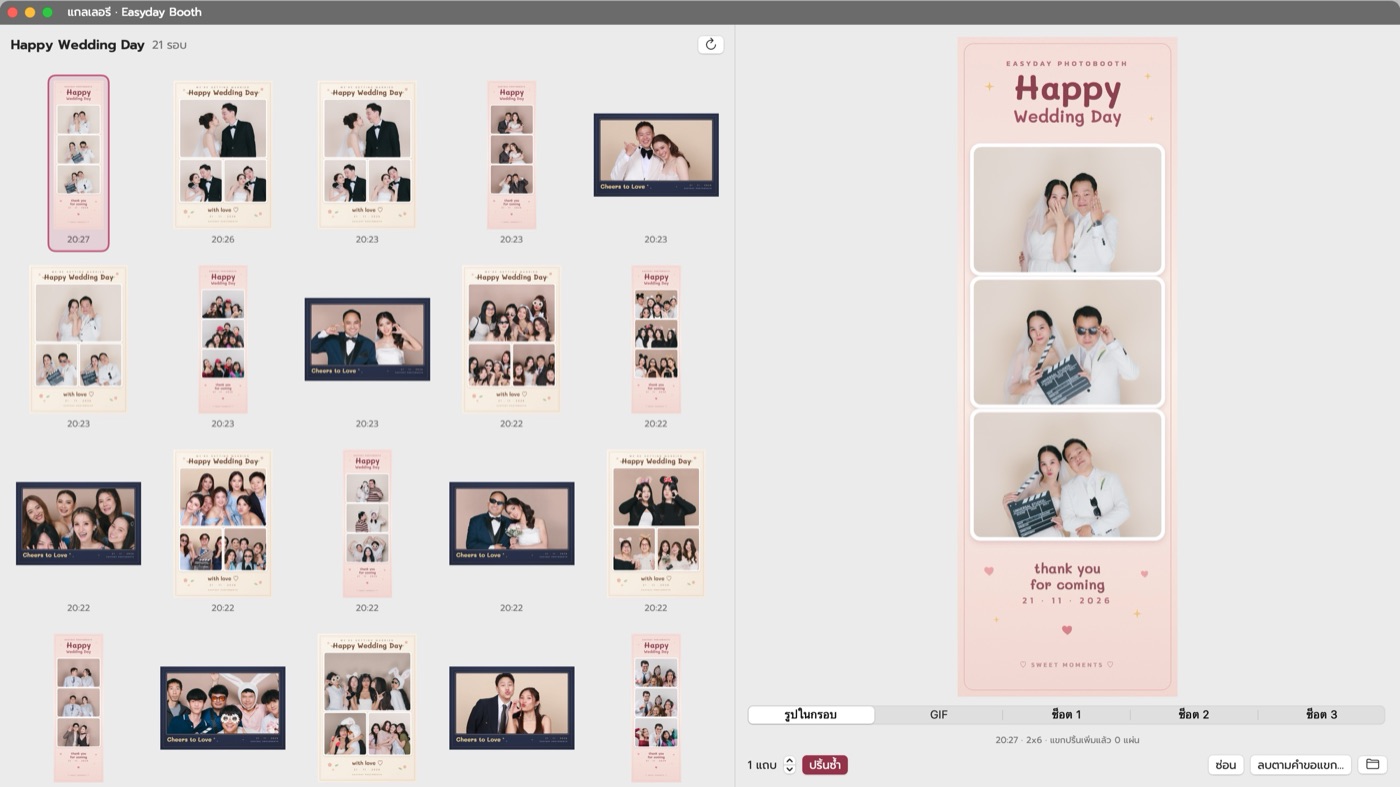 6
6
รูปทุกรอบอยู่ในเครื่องเสมอ อัลบั้มทั้งงานเป็น QR เดียว ส่งรูปทั้งงานเข้า Google Drive ให้เจ้าภาพ
Every session stays on the Mac. One QR for the whole album; send everything to the host's Google Drive.
what you need
everything inside
pricing
🎉 ลด 25% ถึง 🎉 25% off until
—/ เดือน/ month
—/ ปี/ year
ถูกกว่ารายเดือน ต่อปีSave a year vs monthly
—/ รูป/ photo
สำหรับกรอบ AI จ่ายตามรูปที่ใช้จริง แพ็ก แยกจากค่าสมาชิก งานไหนไม่เปิดก็ไม่เสีย
For AI frames, pay per photo used. Packs of , separate from your plan.
ลองกับกล้องและปริ้นเตอร์ของร้านเองก่อน รวมคลาวด์และ iPad ครบ ยังไม่มี Canon ลองด้วยเว็บแคมของ Mac ได้
Try it with your own camera and printer — cloud and iPad included. No Canon yet? Start with the Mac's webcam.
questions
ไม่ต้อง ระบบคลาวด์ที่แขกใช้โหลดรูป และเว็บแอปบน iPad รวมอยู่ในค่าโปรแกรมแล้ว ไม่ต้องสมัครบริการอื่นเพิ่ม
No. The guest-download cloud and the iPad web app are included in the subscription — nothing else to sign up for.
ไม่ต้อง ถ่าย ใส่กรอบ ปริ้น และ QR ทำงานได้โดยไม่มีเน็ต รูปจะขึ้นคลาวด์เองเมื่อเน็ตมา ระหว่างนั้นแขกส่งรูปเข้ามือถือด้วย AirDrop ที่ iPad ได้
No. Shooting, printing and the QR work offline; photos upload when the internet returns. Meanwhile guests can AirDrop from the iPad.
ตอนนี้ยังไม่ได้ ต้องเป็น Mac ชิป Apple (M1 ขึ้นไป) และไม่มีเวอร์ชัน Windows
Not yet — it needs an Apple-silicon Mac (M1 or later). There's no Windows version.
ที่ทดสอบแล้วใช้ได้แน่นอนคือ Canon EOS R8 และ R6 Mark II รุ่นอื่นทักไลน์มาถามก่อน หรือลองกับกล้องของร้านเองระหว่างทดลองใช้ฟรี
Confirmed: Canon EOS R8 and R6 Mark II. For other models, message us on LINE or try yours during the free trial.
ไม่ต้อง เปิด Safari ในวง Wi-Fi เดียวกับ Mac ใส่ PIN จับคู่ครั้งเดียว เพิ่มไว้ที่หน้าจอโฮมจะเปิดเต็มจอเหมือนแอป
No. Open Safari on the same Wi-Fi as the Mac and pair once with a PIN; add it to the Home Screen for full screen.
ต้นฉบับอยู่ใน Mac ของร้านเสมอ สำเนาบนคลาวด์ลบเองตามวันที่ตั้ง (ค่าเริ่มต้น 30 วัน) หน้ารูปของแขกบอกวันลบไว้ ลิงก์แต่ละรอบเป็นรหัสสุ่ม เดาไม่ได้
Originals stay on your Mac. Cloud copies expire on the date you set (30 days by default), shown on the guest page. Each link is a random code.
สมัครภายในวันที่ 31 ธ.ค. 2569 ได้ราคาลด 25% ทั้งรายเดือนและรายปี (ไม่รวมเครดิต AI)
Sign up by 31 Dec 2026 for 25% off monthly and yearly plans (AI credits excluded).
let's talk
ทีม Easyday Photobooth ออกงานบูธเองทุกสัปดาห์ ถามเรื่องอุปกรณ์ การตั้งกรอบ หรือขอลิงก์ทดลองใช้ฟรีได้ทางไลน์
The Easyday Photobooth team runs booths every week. Ask about gear or frames, or get your free trial link on LINE.